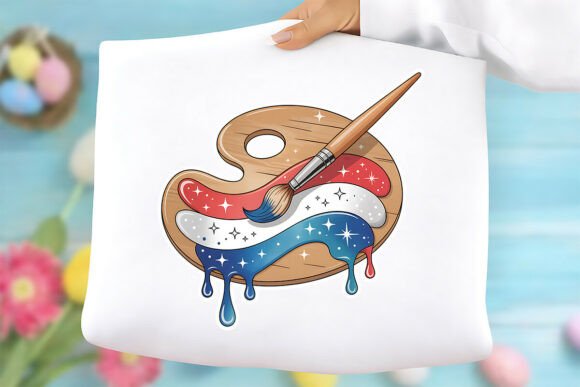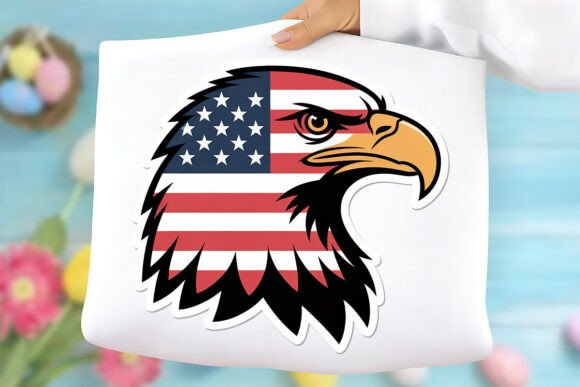
4th of July PNG & Patriotic Eagle PNG: High-Resolution, Transparent, Ready to Use
If you're designing for Independence Day—whether it's a small-batch t-shirt line, a local parade banner, social media graphics, or classroom decorations—you've likely searched for a 4th of July PNG or a Patriotic Eagle PNG. These aren’t just decorative assets—they’re functional tools. A well-chosen, high-quality file saves time, avoids printing mishaps, and ensures your message lands with clarity and pride. But not all patriotic PNGs deliver what they promise—and that’s where things go sideways.
Why resolution and transparency matter more than you think
Many users assume “PNG” automatically means “print-ready.” It doesn’t. PNG is a file format—not a quality guarantee. You’ll find countless free or low-cost 4th of July PNG files online at 72 DPI (screen resolution), with jagged edges, pixelated feathers on the eagle, or opaque white backgrounds that won’t layer cleanly over photos or textured designs. When scaled up for a 24"x36" poster or printed on a dark mug, those flaws become glaring—and costly to fix after the fact.
A true 4th of July PNG built for real-world use delivers 300 DPI sharpness, crisp vector-like clarity (even though it’s raster), and a fully transparent background. That transparency isn’t optional—it’s essential. Without it, your eagle won’t sit naturally over a star-spangled gradient or a vintage paper texture. You’ll waste minutes manually erasing backgrounds in Photoshop—or worse, settle for a design that looks digitally pasted instead of purpose-built.
Common oversights—and how they quietly sabotage your project
Mistake #1: Assuming “commercial use” means “unrestricted use.” Some sellers label files as “commercial use,” but bury limitations deep in fine print—like prohibiting use on physical merchandise or restricting sales volume. Others allow resale of *your product*, but forbid redistribution of the *digital file itself*. Our Patriotic Eagle PNG is explicitly cleared for commercial application on physical goods (t-shirts, mugs, stickers, banners, etc.), but the digital file remains your license to use—not to share, resell, or upload to design marketplaces. That distinction protects both creators and buyers.
Mistake #2: Skipping the scale test before printing. Even a 300 DPI file can look soft if stretched beyond its optimal dimensions. This 4th of July PNG is designed to scale smoothly from a 2-inch decal to a 48-inch yard flag—because it’s built with clean anti-aliased edges and balanced contrast. But don’t guess: open it in your design software, zoom to 200%, and check feather detail on the eagle’s wings or the stars’ definition. If halos or blurring appear, the file wasn’t optimized for scalability—even if the DPI number looks right.
Mistake #3: Overlooking color fidelity in CMYK workflows. While PNGs are RGB by nature, most screen-based designers don’t realize how much red, white, and blue shift when converted to CMYK for professional printing. Our Patriotic Eagle PNG uses rich, saturated RGB values calibrated to translate predictably—no washed-out blues or muddy reds. Still, always soft-proof in your printer’s recommended profile before final output. And never rely solely on your laptop screen for color judgment.
What to verify before downloading or buying
Before clicking “add to cart” on any 4th of July PNG, scan for these five non-negotiables:
- Actual DPI confirmation—not just “high-res” or “HD.” Look for “300 DPI” stated plainly in the description or specs.
- Transparent background verification—open a preview thumbnail in a new tab and drag it over a colored webpage. If you see a white box, it’s not truly transparent.
- No watermark, no embedded text—some sellers add subtle logos or URLs near the edge. Zoom in. Scroll across the full canvas.
- Instant download access—no email delays, no manual file requests. You should receive the PNG within seconds, not hours.
- Clear usage terms—not vague language like “for personal and commercial projects,” but precise phrasing about physical product rights, digital redistribution bans, and attribution requirements (none, in this case).
Real-world examples: How the right file changes outcomes
A small-business owner in Austin ordered 50 red-white-and-blue tote bags for her Fourth of July farmers’ market pop-up. She used a free Patriotic Eagle PNG found via image search—scaled it up in Canva, printed, and discovered the eagle’s talons were blurry and the stars bled into the fabric’s weave. She lost $180 and two days reworking artwork.
In contrast, a freelance designer in Portland licensed our 4th of July PNG for a client’s fireworks festival branding. She placed the eagle over a dusk sky photo, added subtle drop shadows, and exported layered mockups for mugs, posters, and Instagram stories—all in under an hour. The client approved on first review. No revisions. No pixel panic.
The difference wasn’t talent—it was asset integrity.
Better choices start with better expectations
You don’t need dozens of patriotic PNGs. You need one that works—consistently, quietly, professionally. Our Patriotic Eagle PNG isn’t oversized or overly complex. It’s balanced: bold enough to command attention, refined enough to scale without artifacts, and versatile enough to pair with serif headlines or handwritten quotes. It’s been tested on cotton, ceramic, vinyl, and matte paper—so you don’t have to.
And because it’s delivered as a single, clean PNG file—no ZIP confusion, no SVG fallbacks, no layered PSDs—you spend less time managing files and more time creating. No extra software required. No learning curve. Just open, place, adjust size, and export.
Independence Day is about clarity, confidence, and getting things done right the first time. Your design assets should reflect that same standard.